

What is IVR? How an IVR phone system works
You call a business and hear “For sales, press 1. For support, press 2.” That is IVR. This guide explains what an IVR system is, how the process works from the first ring to the right person, keypad versus speech IVR, the benefits and common complaints, how IVR connects to your CRM and team, and what to check when you choose IVR software.
What is IVR?
IVR stands for Interactive Voice Response. An IVR system plays a recorded or synthesized message to callers and acts on what they enter: a key they press or, in speech IVR, what they say. In everyday terms it is the automated phone menu that answers before a person does.
An IVR phone system does three jobs. It routes callers to the right team, person or queue. It gives out fixed information such as opening hours, address or how to do something online, so some calls end without needing a person. And it catches calls that would otherwise be lost, by taking a voicemail or a call-back request after hours or when everyone is busy.
How does IVR work? The process, step by step
1. The call arrives and the IVR checks the time. Inside business hours it moves on to the menu; outside them it plays an after-hours message and offers voicemail.
2. A greeting and the menu play: “For bookings, press 1. For opening hours and directions, press 2.”
3. The caller answers. On a keypad IVR each key sends a DTMF tone (dual-tone multi-frequency: two tones at once), which the system recognises as a digit. On a speech IVR the caller says what they need and speech recognition turns it into text.
4. The IVR does what that option is set to do: put the call in a team's queue, transfer it to a number, open a sub-menu, play information, record a voicemail or log a call-back request.
5. Every menu needs a way out. If nothing is pressed, or a key that does not exist, the IVR repeats the menu and then passes the call to a person. That fallback is what separates an IVR callers tolerate from one they hang up on.
Keypad (DTMF) vs speech recognition IVR
Keypad IVR is the most common kind. Pressing a number is simple and the system reads it almost without error, even from a noisy place. The limit is the number of options: callers can only remember a few, so many request types mean several menu levels and a longer route to the right person.
Speech IVR asks callers to say what they need and routes on their words, so nobody has to listen to the whole menu. Recognition can go wrong with background noise, accents or a poor line, so a good design asks again when it is unsure and hands over to a person if it still cannot tell.
Many businesses accept both: “Say what you need, or press a number.” More and more also put a conversational AI behind the menu, so the IVR sorts calls broadly and an AI voice agent takes the details.
What IVR software and IVR solutions include
An IVR solution is more than a menu. Typical IVR software lets you set business hours and holidays, build menu options and the destination of each, record prompts or generate them with text-to-speech, route calls into queues, take voicemail and call-back requests, and look people up by name (dial-by-name). Recorded prompts suit a greeting whose tone matters; text-to-speech suits messages you change often, such as temporary closures.
The menu design matters as much as the software. Keep levels shallow and options few, use the words your callers use rather than internal team names, put the most common request first and give every menu a route to a person.
IVR and CRM: pass the caller's choice to your team
The option a caller picks is useful information. When the person who answers can see which option the caller chose, they can start with “You are calling about your booking” instead of asking again, and the caller does not have to repeat themselves.
The same goes for voicemails and call-back requests. If who called, which route they took and what they asked for sit in one place with the customer record, whoever calls back already knows the situation. A transcript or a short summary of each call cuts the checking further. When you compare IVR software, look at how these results are recorded and how they reach your team, not only at how easy the menu is to set up.
How to choose the best IVR platform for your business
There is no single best IVR platform; there is the one that fits how your calls work. Check these points when you compare:
Can you change it yourself? Hours, closures and prompts change more often than you expect. If every change needs a vendor ticket, the IVR falls behind.
Hours and holidays: weekday and time-of-day rules, plus public holidays, year-end closures and one-off closures.
Destinations: queues, transfer to a number, voicemail, call-back requests, information messages and sub-menus.
Records and analysis: which options are chosen, where callers hang up, and how many voicemails and call-back requests arrive. Without records there is nothing to improve on.
What happens next: how your team takes the call after the menu, and how records and summaries are kept. Judge the IVR as part of the whole phone line, not on its own.
Benefits of an IVR system
5 points, one card each.
Callers reach the right person
No one has to answer the main line, ask what the call is about and transfer it. Calls go straight to the team that handles them.
Less interruption for staff
Whoever used to pick up the main line gets their time back, which matters most in small teams.
Fixed answers, automatically
Hours, address and how to do things online can be answered by the menu itself.
Fewer lost calls
After-hours voicemail and call-back requests at busy times mean fewer callers hang up unheard.
A view of demand
Records of which options are chosen, and when, show what people call about.
IVR in CALL
- IVR menus and call routing, set up in the CALL console
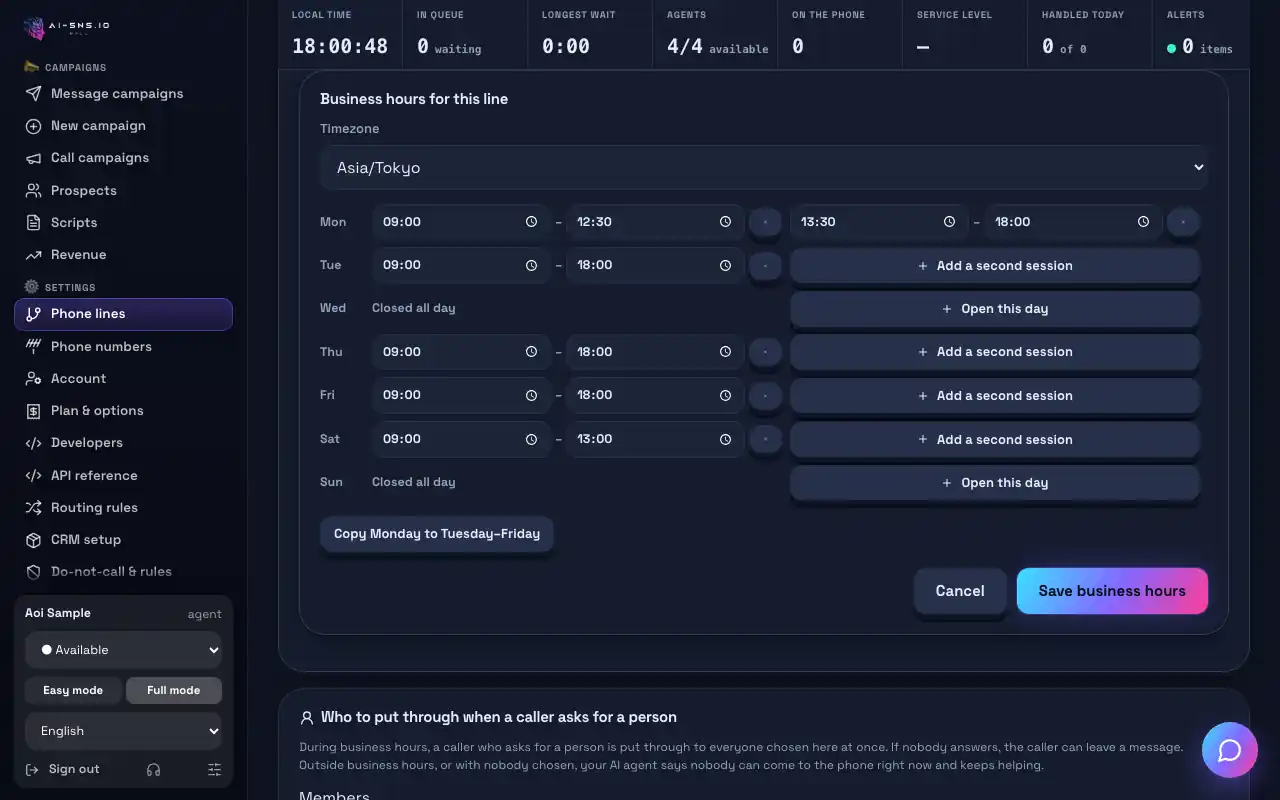
- Business hours per weekday and time slot, plus holidays and closures
- Menu options and the destination of each
- Voicemail per queue and call-back requests from a menu option
- Dial-by-name directory
- Calls reviewed afterwards in call history, with AI call summaries
Set up a simple IVR in CALL
3 steps, in order.
1. Set your business hours
Decide what happens inside and outside opening hours, and add holidays and closures.
Guide: Set a line's business hours
2. Decide where each option goes
Keep to a few options and give every one a destination, including a route to a person.
Guide: Routing rules
3. Catch the calls nobody can take
Offer voicemail or a call-back request after hours and at busy times.
Frequently asked questions
What does IVR stand for?
Interactive Voice Response. It is the automated phone system that plays a menu to callers and routes or answers them based on the keys they press or what they say.
What is an IVR phone system used for?
Sending callers to the right team or queue, giving out fixed information such as opening hours, and taking voicemail or call-back requests after hours or at busy times.
What is the difference between IVR software and an IVR solution?
The terms are used almost interchangeably. IVR software usually means the system that runs the menu; an IVR solution often includes the routing, hours, voicemail, call-backs and records around it.
Why do callers dislike some IVR menus?
Usually because of the design, not IVR itself: too many levels, too many options, vague option names, no way to reach a person, or being asked the same thing again after the menu.
How many options should an IVR menu have?
There is no fixed rule, but callers cannot look back at a phone menu, so keep it to what they can remember after one listen. Merge rarely used options or point them to your website.
Is IVR the same as an AI voice agent or voicebot?
No. An IVR asks callers to choose from fixed options; an AI voice agent or voicebot understands what callers say in their own words and answers from the information you give it. Many businesses use both together.
→ IVR vs AI voice agent
Read next
Hear your AI agent answer, free
On the free plan you can make a test call from your browser and hear exactly how the AI answers.