

How to build an AI voice agent: 7 steps and best practices
Building an AI voice agent is less about code and more about decisions: what the agent is for, what it may say, what it must collect and when it hands over to a person. This guide walks through the steps, then the best practices that keep an agent safe and useful on real calls.
Build from scratch or use a platform?
Under the hood every AI voice agent combines speech recognition, a language model, speech synthesis and a phone connection. Building that yourself means joining those pieces, keeping the delay between turns short and handling interruptions. A platform does that part for you, so the work left is the part only you can do: your knowledge, your rules and your testing. The steps below apply either way.
The 7 steps
1. Define the agent's job in one sentence, for example “first response on the main line and drafting booking requests”. A narrow job keeps its limits clear; name the agent after it.
2. Create the agent and choose its language and tone. On the phone short sentences work best.
3. Add knowledge: files, web pages and questions and answers. Start with a few common questions, and add only information that is current and fine to share with callers, never old price lists or internal notes.
4. Write instructions and limits: say “I don't know” when it does not know, take booking requests but never confirm them, keep personal data to the minimum and route emergencies out of the normal flow.
5. Write the handoff rules: when a caller asks for a person, when a call is urgent or a complaint, and who receives it, as a transfer or a call-back request.
6. Test before going live: run expected questions and awkward ones (a plan that does not exist, an angry caller, a request to book) and fix every risky answer. Then make a real test call.
7. Go live small: start with after-hours or overflow calls, read the summaries, correct wrong answers and widen step by step.
AI voice agent best practices
6 points, one card each.
Never confirm on its own
Bookings and contracts are requests the AI takes down; your staff confirm them.
Say “I don't know”
For questions outside its knowledge, the agent should offer to check and call back rather than guess.
Read back the details
Dates, times, names and numbers are easy to mishear. Have the agent read them back in one sentence.
Tell callers it is an AI
Say so in the opening greeting, together with any recording notice.
Keep knowledge fresh
Remove ended campaigns and old prices; date your sources.
Review real calls
Read transcripts and summaries regularly and correct answers that went wrong.
Building an agent in CALL
- Create an AI agent and set its instructions in the console
- Add knowledge from files, websites, Q&A and Notion
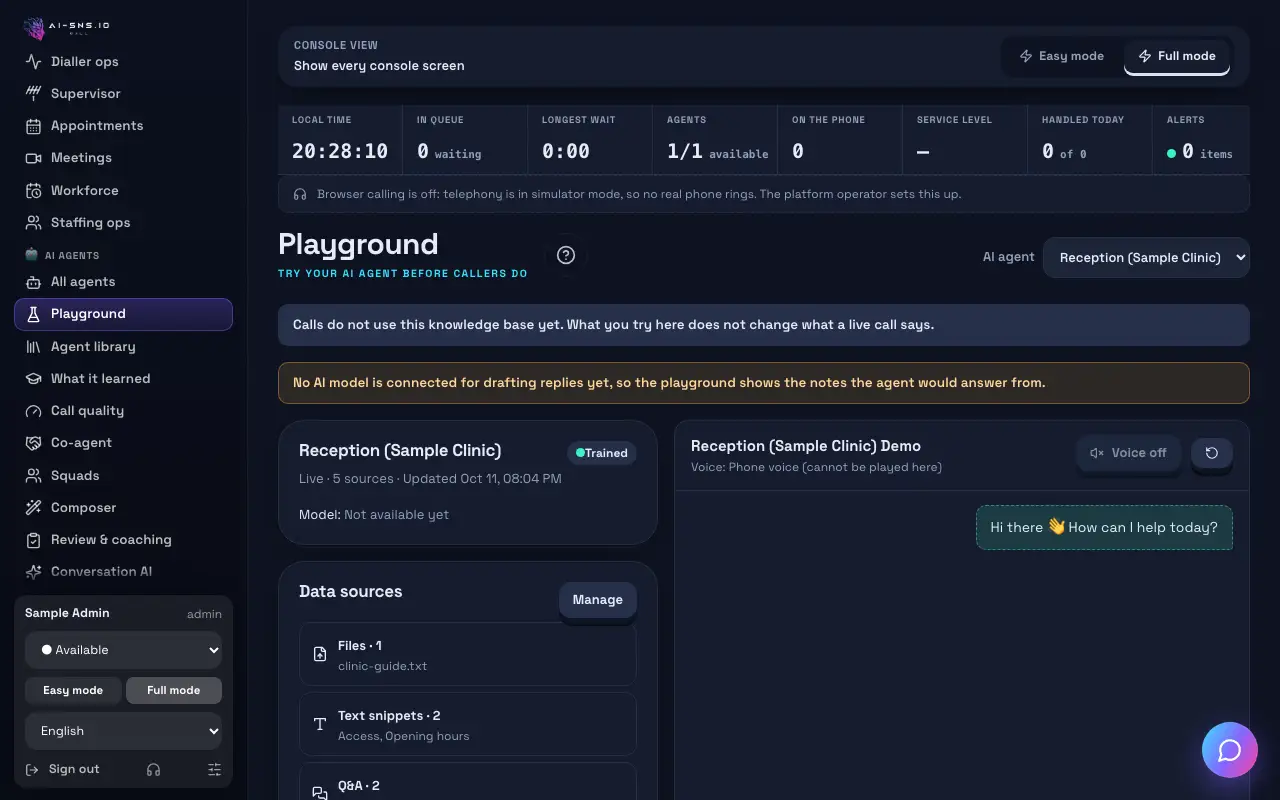
- Try replies in the Playground before the agent answers calls
- Make a test call from your browser on the free plan
- Review transcripts and summaries, and correct answers
Do it in CALL
3 steps, in order.
1. Create the agent
Name it after its job and set its language.
Guide: Create a new AI agent
2. Add questions and answers
Start with your most common questions.
Guide: Q&A
3. Test in the Playground
Try normal and awkward questions and fix the answers.
Guide: Playground
Frequently asked questions
Do I need to code to make an AI voice agent?
Not on a platform. You describe the agent's job, add knowledge and rules, and test it. Coding is needed only if you assemble speech recognition, a language model, speech synthesis and telephony yourself.
What should I build first?
One narrow job, such as answering the five most common questions and taking messages. Widen once the summaries show it working.
How do I test an AI voice agent?
Run expected and awkward questions before launch, check that it reads back details and hands over when it should, then make real test calls.
Can I try it for free?
Yes. The free plan costs nothing a month: call your AI agent from the browser or your own phone and hear exactly how it answers. Plans, credits and included minutes are on the pricing page.
→ See plans and pricing
Read next
Hear your AI agent answer, free
On the free plan you can make a test call from your browser and hear exactly how the AI answers.